Google phone number verification is an Android setting, on by default, that verifies your phone number and adds it to every Google account signed in on the phone, according to Google's own Android help page. Android Authority reported on October 14, 2026 that users were getting emails from Google saying their number had been verified, and security firm Malwarebytes followed up on October 20. It matters if you keep separate Google accounts for work, a side business or anything else you'd rather not tie to your number. Here's what the setting does, what Google uses the number for, and how to change it.
Current as of October 27, 2026.
What Happened
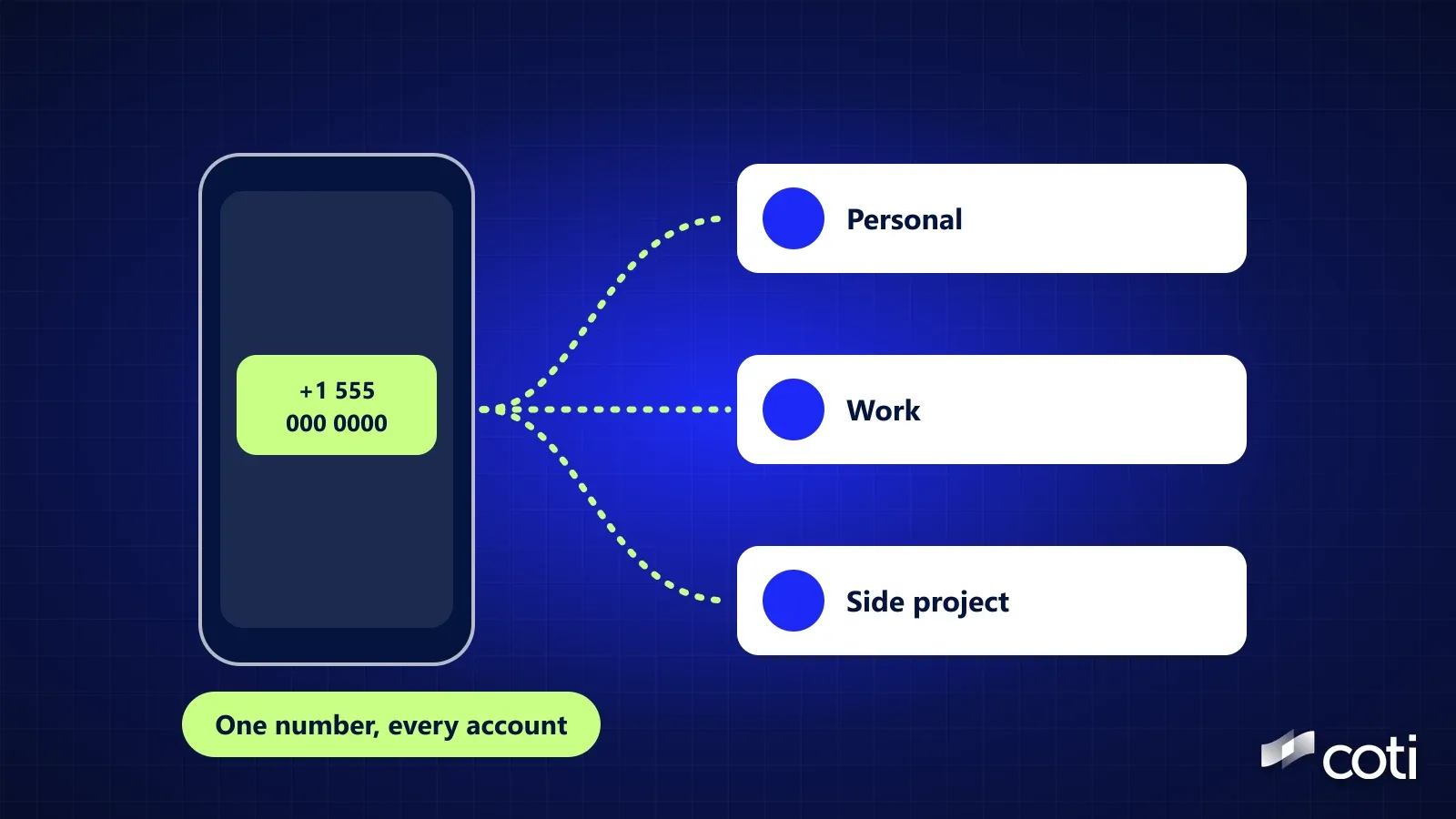
Google's help page spells it out: "We verify the phone number and add them to all Google Accounts that are signed in on the device." It also says this applies to current and future accounts and numbers. If you add a new Google account, it's linked to every number on the phone, and a new number is added to every account.
Phone number verification on Android
- Default: on, set up automatically when you set up an Android device
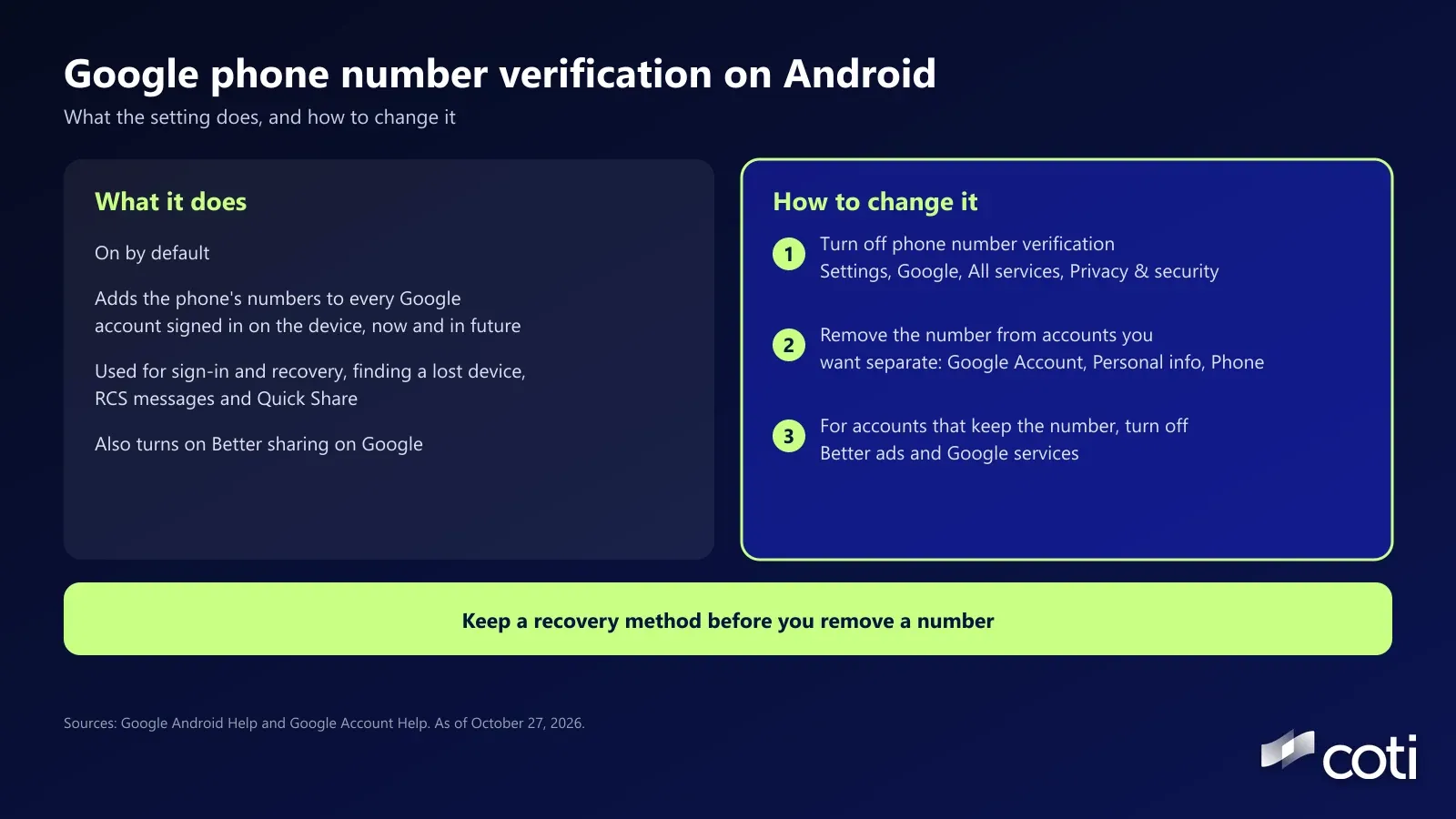
- What it does: verifies the phone's numbers and adds them to all Google accounts signed in on the device
- Checks: Google and your carrier periodically re-verify the number, and Google says carrier charges may apply
- Also turns on: Better sharing on Google, for one account only if several are signed in, which Google says helps with video calls, messages and notifications for content sent to your number
What does Google use the number for?
Google says verification helps features such as:
- Signing in to your Google account with your phone number, and getting back in if you're locked out
- Emergency location service, and emergency help by satellite on Pixel 9 phones and later when there's no cellular signal or Wi-Fi
- Finding, locking or securing a lost phone
- RCS messages and video calls, so people can reach you
- Quick Share for sending files to nearby devices
Google's account help page adds that a separate setting, Better ads and Google services, lets your phone number be used across Google services to show you more relevant ads. The same page says Google doesn't sell your personal information, including your phone number.
Why It Matters for Your Privacy
A phone number is a long-lived identifier. Most people keep theirs for years, and it's tied to a carrier account, often in your name. The number doesn't become public through this setting, but as Malwarebytes notes, it gives Google another way to connect accounts you meant to keep separate. Who else can see your number depends on your account's About me settings.
Our take: for most people with a single account, this changes little. It matters for anyone running separate accounts on purpose, such as a personal account and one for selling online, or a work account they'd rather not connect to a personal number.
How to Change It
These steps come from Google's help pages, as of October 27, 2026. Menu names can vary by phone and Android version. Step 1 is Android only. On an iPhone, Google's account pages still let you check and remove numbers (steps 2 and 3). Work or school accounts may be managed by an administrator, and Google says its steps may not work for them.
- Turn off phone number verification. Open your phone's Settings app, select Google, then All services. Under Privacy & security, select Phone number verification and choose whether to verify your number. Google says you can only manage this in device settings. Malwarebytes notes that turning it off doesn't remove numbers already added, which is what step 2 is for.
- Remove the number from accounts you want kept separate. In your Google Account, go to Personal info, then Phone, select the number, then Delete and Remove number. Google says changing the number only affects some services, so also check the account's recovery phone and 2-Step Verification.
- Turn off ad use of your number. For accounts where you keep the number, select it in the same Phone section and, under Preferences, turn off Better ads and Google services.
Before you remove a number, make sure each account still has a working recovery phone or email, so you don't lock yourself out. Google says recovery phone changes can take up to 7 days to take effect, and that a deleted recovery number may still be used for other Google services. For secondary accounts you want fully separate, a recovery email avoids tying them back to your number.
Malwarebytes, citing Android Central, also reports that some users say the setting switched itself back on. Those are user reports, so it's worth checking again after a system update.
What It Means for COTI Users
This is a Google setting, and COTI has no role in it. The lesson carries over to crypto, though: one shared identifier can link accounts you meant to keep apart. A reused wallet address works the same way, as our guides to whether it's safe to share your wallet address and whether anyone can see your crypto wallet explain.
Frequently Asked Questions
Why did Google add my phone number to all my accounts?
Because phone number verification is on by default on Android, and Google's help page says it adds verified numbers to every Google account signed in on the device.
Is it safe to turn off phone number verification?
Google says verification helps features such as signing in with your number, account recovery, emergency location and finding a lost phone. Turning it off doesn't remove numbers already on your accounts or change your existing recovery setup. The risk to recovery comes when you remove a number, so add a recovery email first.
Does Google sell my phone number?
Google's account help page says it doesn't sell your personal information, including your phone number. A separate setting, Better ads and Google services, controls whether the number is used to make ads more relevant.
How do I see which Google accounts have my phone number?
Sign in to each account and check Personal info, then Phone. Google's page says that if Across Google appears under Usage, the number can be used across Google services.
Where to Go From Here
Settings like this decide which parts of your life a single company can connect. Checking each account takes a few minutes. For more on keeping separate identities separate, read our guide to whether it's safe to share your wallet address. COTI is building COTI Global, a consumer app for private everyday payments. It isn't live yet, and COTI's roadmap puts private travel and a virtual card in Q2 to Q3 2027, as of October 27, 2026.
Details checked October 27, 2026. Google can change these settings and paths at any time. Google and Malwarebytes are cited for reference only and aren't affiliated with COTI. Nothing here is financial or legal advice. COTI will never ask for your seed phrase or private key, and only COTI's official channels (coti.io, docs.coti.io, COTI's Medium blog and its official X and Telegram) carry announcements.
Sources
- Manage phone number verification on your device, Android Help, Google, accessed October 27, 2026
- Change the phone number on your account and how it's used, Google Account Help, accessed October 27, 2026
- Set up recovery options, Google Account Help, accessed October 27, 2026
- Google is silently linking your phone number across all Google accounts, Android Authority, published October 14, 2026, accessed October 27, 2026
- Google may add your number to all your accounts: How to stop it, Malwarebytes, published October 20, 2026, accessed October 27, 2026