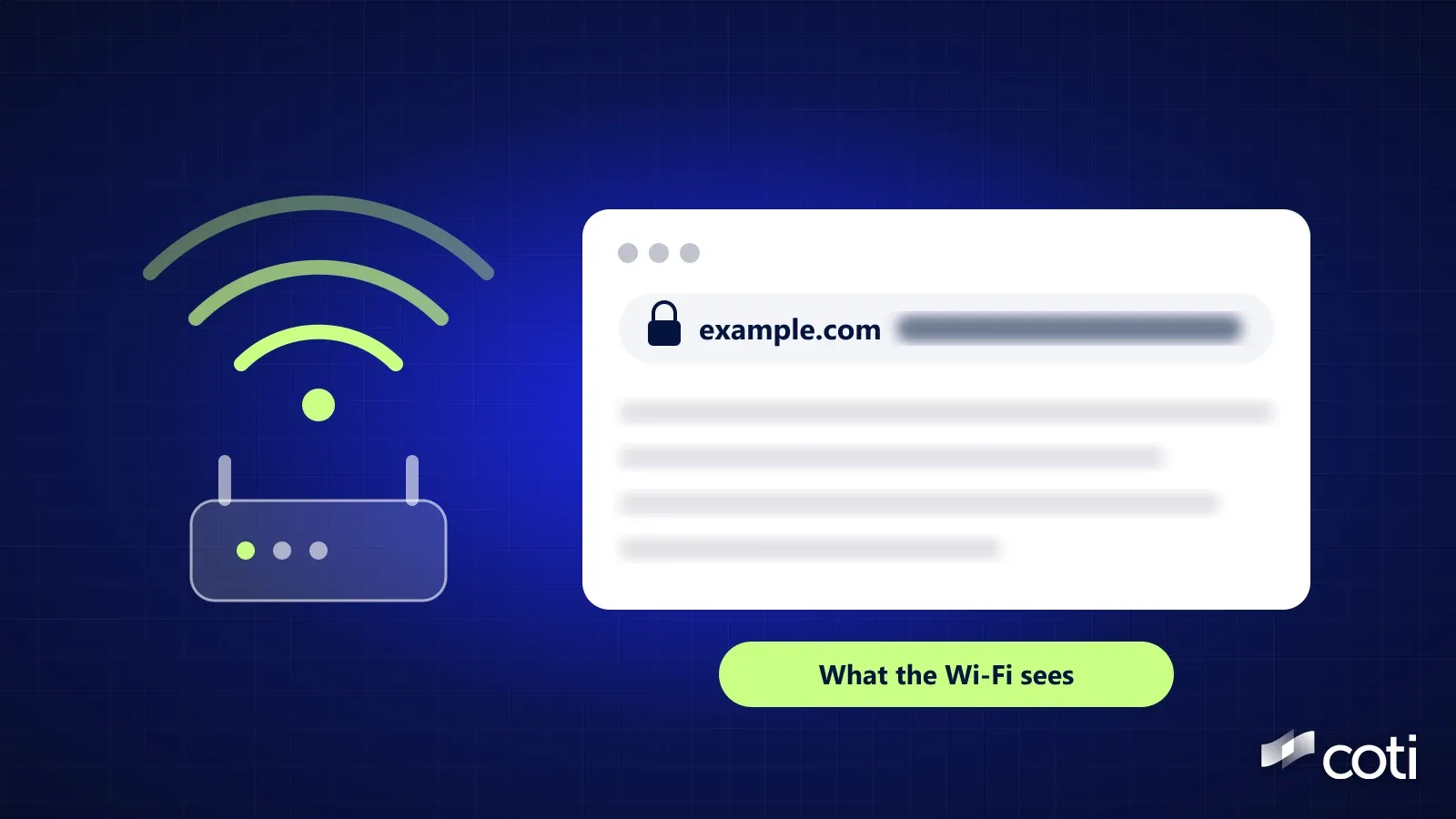
Can the Wi-Fi owner see what sites I visit? Usually yes: whoever runs the network can typically see which sites you visit, but not the pages you read, what you search for or what you type. On secure sites, the ones with a padlock and https in the address bar, the network can typically see the site's name, such as wikipedia.org, and when you connected, while the page itself stays encrypted. Whether anyone actually looks depends on the router: some keep a list of sites visited, and others say they don't track sites at all. Here's what the owner of a home, hotel, café, school or work network can and can't see, on a laptop or a phone, with or without incognito or a VPN.
Current as of October 29, 2026.
The Short Answer
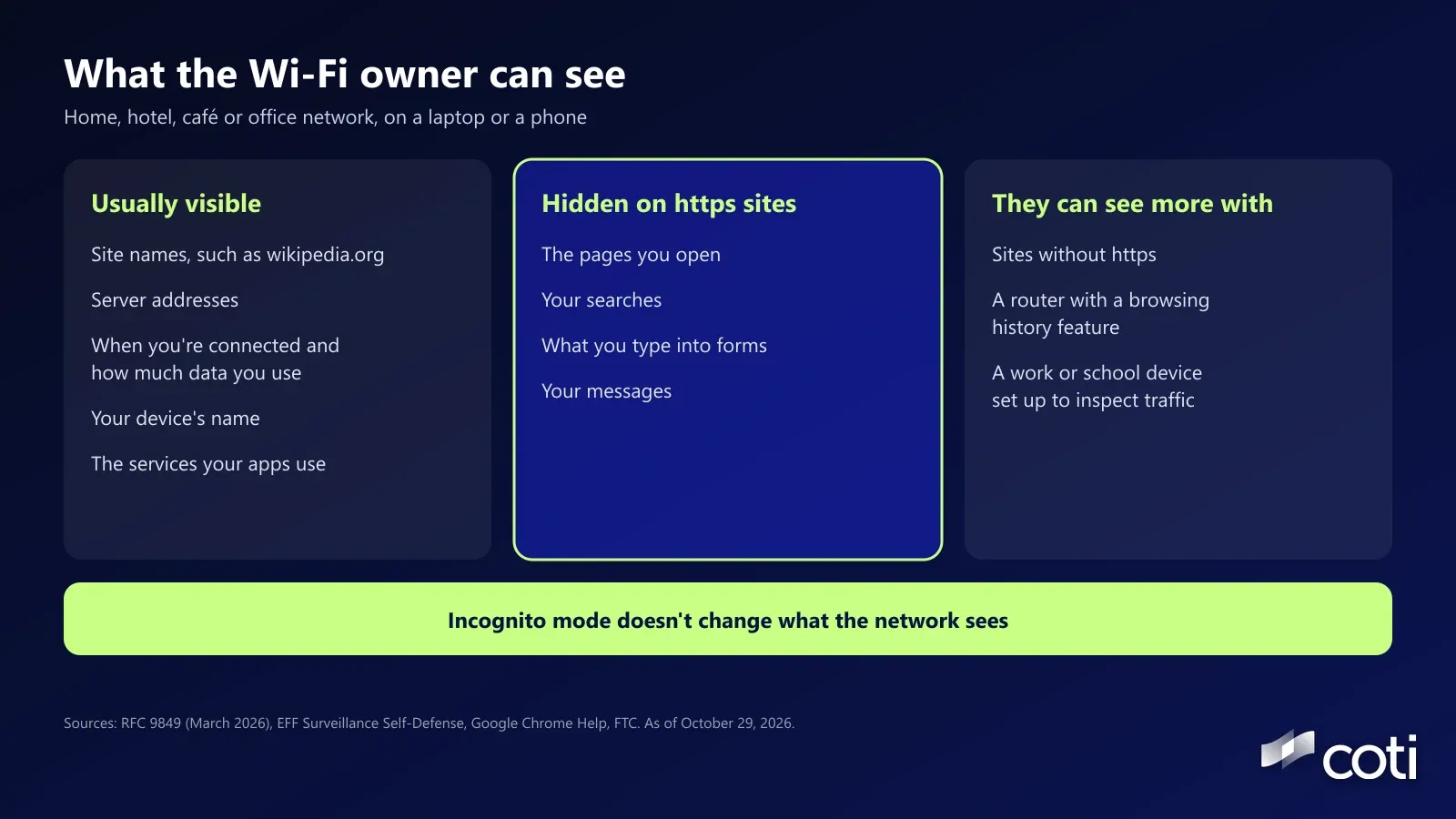
What the Wi-Fi owner can usually see
- The names of the sites and services your device connects to, such as wikipedia.org or google.com
- The addresses of the servers your device connects to
- When your device was connected, and how much data it used
- Your device's name and its address on the network
What they usually can't see
- The specific pages you open on secure sites, what you search for, what you type, and your messages
What lets them see more
- Sites without https, a router with a browsing history feature, and a work or school device set up to inspect traffic
How the Wi-Fi Owner Sees Site Names
Two moments in every connection can give away the name of the site, even when the page is encrypted.
The address lookup (DNS)
- Before your device can open a site, it asks a DNS server, a kind of phone book for the internet, to turn the name into an address. A regular lookup isn't encrypted, so the network can read the name
- Many devices now try to encrypt it. Google's Chrome help page says secure DNS is on in automatic mode by default, and that Chrome falls back to an unencrypted lookup if that mode has problems. Android's help page says phones use Private DNS by default on every network that supports it
- Both only encrypt the lookup when the DNS server in use supports it, and on most Wi-Fi the network picks that server. Chrome's page also says secure DNS isn't available on managed devices or when parental controls are on
- To check Chrome on a computer, Google's page gives the path: Settings, Privacy and security, Security, then Use secure DNS under Advanced
The opening message of a secure connection
- The first message your browser sends to a secure site usually carries the site's name in plain text. RFC 9849, the internet standard published in March 2026 to fix this, says that field "leaks the target domain for a given connection"
- The fix, called Encrypted Client Hello, hides that name, but only when both your browser or app and the website support it. Android's developer docs say Android 17 supports it by default, though each app's networking library has to support it too, and Cloudflare turns it on by default for sites on its free plan. For those Cloudflare sites, the network sees a shared Cloudflare name instead of the site. Support across browsers and websites is still uneven, as of October 29, 2026
The server's address
- Even with both fixes, your device still connects to the site's server address (its IP address), which the network can see and which can point to the site. RFC 9849 itself notes that the site can still show through visible server IP addresses
So on most networks today, expect the owner to be able to see, or work out, the names of the sites you visit, even if the address lookup is encrypted.
What Stays Hidden on Secure Sites
The Electronic Frontier Foundation's Surveillance Self-Defense guide, reviewed July 28, 2026, puts it simply: anyone along the way, from your internet provider to the site's host, can usually see the domain names you visit and when, but not the pages you visit on those sites. The same guide counts the local network owner, like a coffee shop or hotel, among the parties a VPN hides your traffic from, so the Wi-Fi you're on sits on that path too.
Your searches
- When you search on Google, the network sees google.com, not what you typed, because the search travels inside the encrypted connection
Pages, forms and messages
- The specific article, video, product page or chat, plus anything you type into a form, are encrypted on https sites
How much of the web this covers
- Google's Chrome figures for the week of October 25, 2026, published on Let's Encrypt's statistics page, show about 95% of page loads on Windows, nearly 98% on Mac and 99% on Android used https
The exception: sites without https
- On a plain http site, the network can see the full page and anything you send. The FTC's public Wi-Fi advice (February 2023) says to look for a lock symbol or https in the address bar
On Your Phone, Apps Count Too
Apps send traffic through the same Wi-Fi as your browser, and most of them connect securely. Android's developer docs say that for apps built for Android 9 or later, unencrypted connections are off by default. Apple's App Transport Security, which requires secure connections, is on by default for iPhone apps built since iOS 9, according to Apple's developer documentation. Developers can make exceptions in both cases.
That means the Wi-Fi owner can often tell which services your apps connect to, and from that, guess which apps you use. They can't read what you do inside them on a secure connection.
Incognito Doesn't Change What the Network Sees
Private or incognito mode only affects what's saved on your own device. Google's Chrome Help says "organizations that manage your network, like your school, employer, or internet service provider, may be able to observe your activity in Incognito."
The same goes for deleting your history. Clearing your browser history removes the record on your device, not anything a router has already logged.
Does the Router Keep a Record?
It depends on the router and the features the owner has turned on. Three examples from the vendors' own support pages:
Routers with a browsing history feature
- NETGEAR's Orbi app has a Visited tab in its parental controls that shows the sites a profile has visited. NETGEAR's feature comparison lists website history as part of its paid Smart Parental Controls Premium plan
Internet provider gateways with activity reports
- Comcast's Xfinity help page says its screentime details report supported apps, websites and categories where available, and may still report activity in a private browser tab
Routers that say they don't track sites
- Google says its Google Wifi and Nest Wifi devices don't track the websites you visit or collect the content of your traffic. The owner can still see connected devices by name, their IP addresses and how much data each one uses
Device names and hardware addresses
- Most routers list connected devices, often by the name your phone announces (Google's own example is John's iPhone). iPhones use a private Wi-Fi address for each network instead of their hardware MAC address by default, according to Apple, and Android 10 and later use a randomised MAC address by default, according to Android's documentation. That makes it harder to link your device across different networks. On an iPhone set to Fixed, the private address stays the same on that network, so the router still recognises your phone each time
Your internet provider sits one step further along and, the EFF guide notes, can also see the domain names you visit and when, though usually not which device in your home sent them.
Work and School Networks Can See More
On a device your employer or school manages, an installed profile and root certificate can let the organisation open up secure traffic and read full web addresses, not just site names. Google Cloud's documentation for its Secure Web Proxy, one example of the tools organisations use for this, describes inspecting the entire address, including the path and query string (which is where search terms usually sit), and says devices only trust the connection if the organisation's root certificate is installed. Settings like these live on the device, so they can apply on any network, including your home Wi-Fi.
On an iPhone or iPad, you can see what's installed. Apple's personal safety guide lists profiles under Settings, General, VPN & Device Management, and Apple's certificate trust page explains the Certificate Trust Settings screen under Settings, General, About. Apple's own guide says that if a device belongs to a school or business, you should check with the system administrator before deleting any apps or profiles.
Does a VPN Hide Your Browsing From the Wi-Fi Owner?
On a personal device, mostly, but it moves the trust rather than removing it. With a VPN, your traffic travels inside an encrypted tunnel to the VPN provider's server, so the Wi-Fi owner sees a connection to that server and how much data you use, not the sites. The EFF guide says a VPN hides your outgoing traffic from your internet provider and the local network owner, and that the VPN provider can then see what your internet provider could. Our take: only use one you'd trust with that view.
On a work or school device, a VPN doesn't hide anything from monitoring software the organisation has installed, and many managed networks block VPNs or treat them as against policy. Follow the rules of the network you've agreed to use.
Apple's iCloud Private Relay, part of a paid iCloud+ subscription and not available in every country, takes a different approach for Safari: Apple says it's designed so that no single party, not even Apple, sees both who you are and which sites you visit.
We don't rank VPN services. For what paying for one reveals, see our guide to paying for a VPN with crypto.
Hotel, Café and Airport Wi-Fi
Public networks work the same way as home ones, with one extra risk. The FTC's advice (February 2023) says that because encryption is now widespread, connecting through public Wi-Fi is usually safe, though encryption won't protect you from a scam website itself. The EFF guide makes the same point from another angle: VPNs aren't necessary to protect against most security threats on public Wi-Fi.
The extra risk is a fake network. CISA's wireless guidance describes evil twin attacks, where someone sets up a hotspot that imitates the real one, and advises confirming a public network's name and password before you connect. At a hotel, ask the front desk. For what else a hotel collects about you, see why hotels take your passport.
Frequently Asked Questions
Can the Wi-Fi owner see what I search on Google?
Usually not. Google search uses an encrypted connection, so the network sees that you connected to google.com, but not your search terms or the results.
Can the Wi-Fi owner see what sites I visit if I use a VPN?
On a personal device, not the sites themselves. They see that you're connected to a VPN server and how much data you use, and the VPN provider is then in a position to see the site names instead. On a managed work or school device, monitoring software the organisation installed can still see your activity.
Can the Wi-Fi owner see my history if I use incognito?
Incognito doesn't hide anything from the network. Google's Chrome Help says your school, employer or internet provider may still be able to see your activity.
Can the Wi-Fi owner see what apps I use?
Often, indirectly. Apps connect to their own services, and the network can usually see those service names, though not what you do inside a secure app.
Can the Wi-Fi owner see what I searched even if I delete my history?
Deleting your history only clears your own device. It doesn't change what the network could see when you searched, which on a personal device and a secure site is the search engine's name, not your search terms.
Where to Go From Here
Every network you join learns something about you, and the useful question is always what, and who else can see it. For the same question about your money, see can my bank see what I buy? COTI is building COTI Global, a consumer app for private everyday payments. It isn't live yet, and COTI's roadmap puts private travel and a virtual card in Q2 to Q3 2027, as of October 29, 2026.
Details checked October 29, 2026. Google, Apple, NETGEAR, Comcast, Cloudflare and the other companies named are cited for reference only and aren't affiliated with COTI. Browser, router and phone features change. Nothing here is financial or legal advice.
Sources
- RFC 9849: TLS Encrypted Client Hello, IETF, published March 2026, accessed October 29, 2026
- Choosing the VPN That's Right for You, EFF Surveillance Self-Defense, last reviewed July 28, 2026, accessed October 29, 2026
- Manage Chrome safety and security, Google Chrome Help, accessed October 29, 2026
- Use Private DNS on Android, Google Android Help, accessed October 29, 2026
- Encrypted Client Hello, Android Developers, updated September 16, 2026, accessed October 29, 2026
- Encrypted Client Hello (ECH), Cloudflare docs, accessed October 29, 2026
- Let's Encrypt statistics (Google Chrome HTTPS data, week of October 25, 2026), accessed October 29, 2026
- Are Public Wi-Fi Networks Safe? What You Need To Know, FTC, February 2023, accessed October 29, 2026
- Network security configuration, Android Developers, accessed October 29, 2026
- Preventing Insecure Network Connections, Apple Developer Documentation, accessed October 29, 2026
- How to use Incognito mode, Google Chrome Help, accessed October 29, 2026
- How do I view app usage and Internet browsing history in NETGEAR Smart Parental Controls?, NETGEAR, updated July 7, 2025, accessed October 29, 2026
- Features of NETGEAR Smart Parental Controls and Premium, NETGEAR, updated July 7, 2025, accessed October 29, 2026
- Managing devices with Xfinity FAQs, Comcast Xfinity, accessed October 29, 2026
- Google Wifi and Nest Wifi privacy, Google Nest Help, accessed October 29, 2026
- Use private Wi-Fi addresses on Apple devices, Apple Support, accessed October 29, 2026
- MAC randomization behavior, Android Open Source Project, accessed October 29, 2026
- TLS inspection overview, Google Cloud, accessed October 29, 2026
- Review and delete configuration profiles, Apple Personal Safety User Guide, accessed October 29, 2026
- Trust manually installed certificate profiles in iOS, Apple Support, accessed October 29, 2026
- About iCloud Private Relay, Apple Support, accessed October 29, 2026
- Securing Wireless Networks, CISA, published February 1, 2021, accessed October 29, 2026
- Roadmap, COTI, accessed October 29, 2026