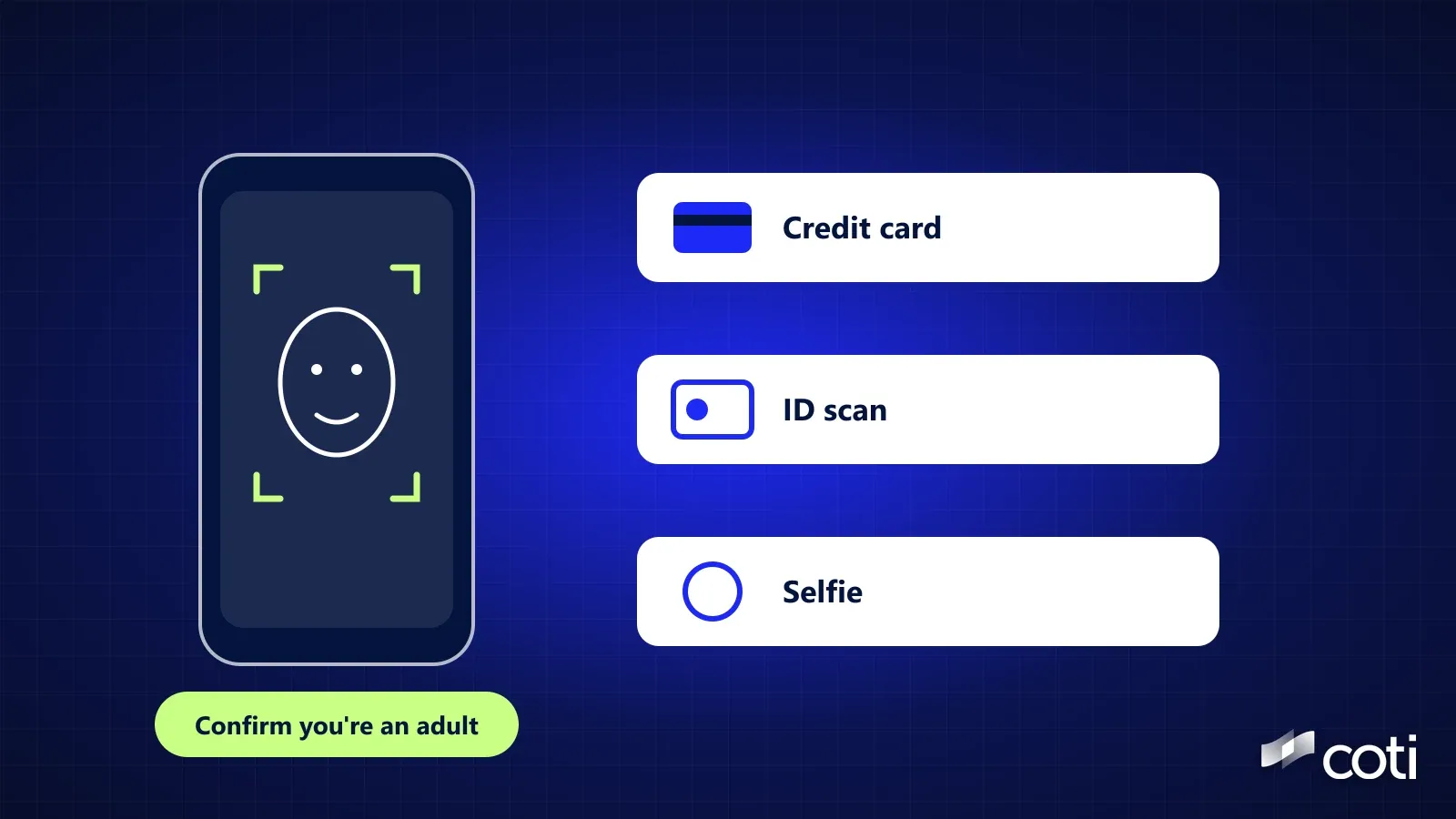
Apple age verification asks some iPhone and iPad users to confirm they're adults before certain actions, with a credit card, an ID scan, their existing account history or, new with iOS and iPadOS 27.2, a selfie checked by an age-estimation model. Apple updated its support pages on October 26, 2026, the day iOS 27.2 came out, adding the selfie option and Brazil to the places where checks apply. Apple says the checks are required by law in some places, and the rules differ in each one. Here's who's affected, what each option shares and what Apple says it keeps.
Current as of October 28, 2026.
What Changed on October 26, 2026
New: a selfie option
- It needs iOS or iPadOS 27.2 or later, and Apple's region page says it's available in Australia, Brazil, Singapore and the UK
New: Brazil
- Brazil now appears on Apple's list. An archived copy of the same page from September 16, 2026 listed Australia, Singapore, South Korea, the UK and Texas
Not new: the age checks themselves
- Apple's region page already listed South Korea and the UK in March 2026, and the Texas rules apply to new accounts created there on or after June 4, 2026
Where It Applies, and to Whom
Australia, Brazil and the UK
- Apple Account holders confirm they're 18 or older to use certain services or features or take certain account actions. Until they do, Web Content Filter and Communication Safety stay switched on, as they are for kids and teens
- In Australia and Brazil, you also need to confirm before downloading or buying apps rated 18+
- In Brazil, Apple says your age range is shared with app developers if a developer requests it to comply with local laws, and this can't be turned off
Singapore
- Per Apple's Singapore page, you only need to confirm to download or buy apps rated 18+
South Korea
- Per Apple's South Korea page, you need to confirm you're at least legally 19 to download or stream mature content through Apple services
- The selfie option isn't listed for South Korea
Texas, US
- Per Apple's Texas page, the rules apply to new Apple Accounts created in Texas on or after June 4, 2026
- Apple says that for all accounts there, your age range is always shared with developers and can't be turned off
- The selfie option isn't listed for Texas, but a passport scan is
When you might be asked
- When creating a new Apple Account, updating your device's software, changing certain safety settings, or downloading or buying apps rated 18+
What happens if you skip it
- Apple says your device keeps working, but you'll need to confirm before turning off certain safety settings or downloading 18+ apps. Once confirmed, you don't have to do it again
How to check your status
- Open Settings (System Settings on a Mac), tap your name, then Personal Information, then Age Confirmation
The Options, and What Each One Shares
Your existing account
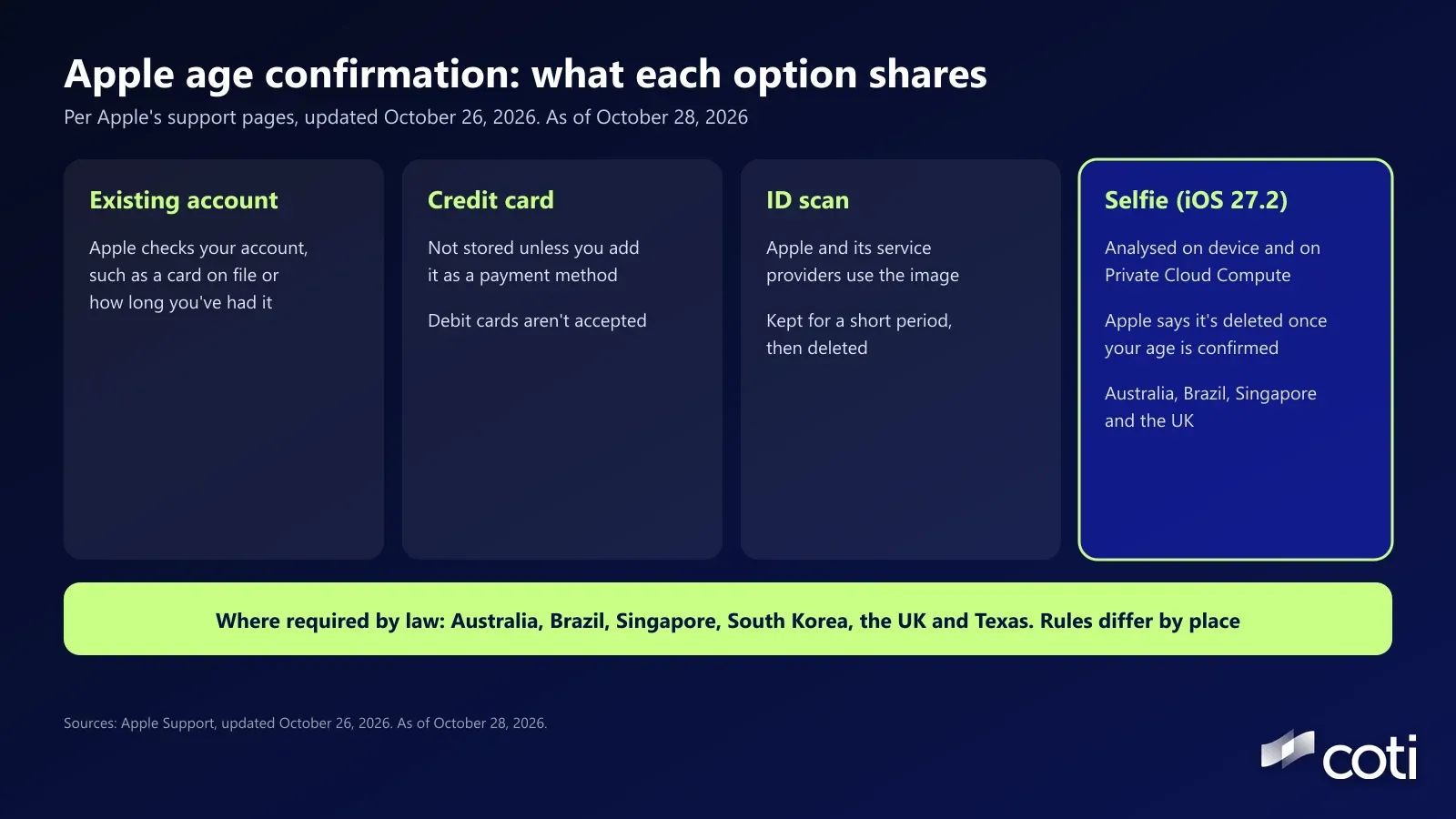
- Apple says it may look at information on your Apple Account, such as whether you have a credit card on file or how long you've had the account
- What's shared: nothing you submit, if this is enough
A credit card
- Add a credit card that belongs to you. Debit cards and gift cards aren't supported
- What Apple keeps: Apple says that if you don't add the card as a payment method, it isn't stored. Apple doesn't say whether it checks the card with your bank
An ID scan
- Scan a driver's licence or government ID, or a passport in some places
- What Apple keeps: Apple says it and its service providers use the image to confirm you're an adult and prevent fraud, and that the image is kept for a short period of time, then deleted
- Some IDs need additional review, and Apple says you'll get a notification when it's complete
- Also accepted: a Digital ID in Apple Wallet created from a US passport, in any region
A selfie (iOS or iPadOS 27.2 or later)
- Available in Australia, Brazil, Singapore and the UK, according to Apple's region page. It isn't listed for South Korea or Texas
- How it works: Apple's selfie guide, dated October 26, 2026, says you capture your face from four angles, and an age-estimation model evaluates the images
- What Apple keeps: Apple says the selfie is analysed on your device and on Private Cloud Compute, which Apple says extends the security and privacy of your device into the cloud, and that "Once your age is confirmed, your selfie is deleted and isn't retained in any form."
- If it doesn't work: Apple suggests checking your internet connection and trying again, or using another method. Apple doesn't say what happens if the model estimates you're under 18
Which Option Shares the Least?
It depends on what you already have. If your account already qualifies, you submit nothing new. A credit card you choose not to save isn't stored, by Apple's account. An ID scan sends an image of a document full of personal details to Apple and its service providers, even if only briefly. A selfie sends images of your face for analysis, which Apple says it deletes once your age is confirmed.
Apple's pages don't name the service providers that handle ID images, or say how long the short period lasts, as of October 28, 2026. Each option is Apple's description of its own process, and we can't verify it independently.
Our take: no option is free. Each one trades some data for access, and the difference is what you hand over and who handles it. If you have the choice, remember that a face or a passport is harder to replace than a card number.
Proving Your Age Without Handing Over Your ID
The idea behind age checks, proving one fact without handing over the rest, has a well-developed answer in cryptography. A zero-knowledge proof can show a statement is true, such as being over 18, without revealing the data behind it. Our guide to zero-knowledge proofs explains how. In practice, someone trusted, such as a government, still has to issue a signed credential first, and the proof is only as reliable as that issuer. Apple's options take a different route: Apple checks the evidence itself and, by its account, deletes the ID image after a short period and the selfie once your age is confirmed.
Frequently Asked Questions
Why is my iPhone asking me to confirm I'm an adult?
Apple says it's required by law in some places. Its region page lists Australia, Brazil, Singapore, South Korea, the UK and Texas, and the rules differ. In Texas it covers accounts created on or after June 4, 2026. In Singapore it's for apps rated 18+, and in South Korea it's for mature content, where the age is 19. You might be asked when you create an account, update software, change safety settings or download 18+ apps.
Can I confirm my age without a credit card?
Yes. Apple lists an ID scan, your existing account information, a Digital ID created from a US passport and, in some regions, a selfie. Debit cards and gift cards aren't accepted.
Does Apple keep my selfie?
Apple says the selfie is analysed on your device and on Private Cloud Compute, isn't accessible to anyone, including Apple, and is deleted once your age is confirmed.
Does Apple keep my ID?
Apple says the image of your ID is kept for a short period to complete the check, then deleted. It doesn't say exactly how long. Some IDs go through an additional review first.
What if I'm under 18?
Apple says that, depending on where you live, you may need to join a Family Sharing group with an adult who has confirmed their age before you can download apps or change certain safety settings, and some actions may not be available until you turn 18. In Texas, Ask to Buy and some Screen Time features are switched on for under-18s and can't be turned off, even by parents.
Why isn't age verification working?
Apple suggests updating your device's software, using a supported method (a credit card that belongs to you, or an ID), and trying on an iPhone or iPad, since some methods aren't available on Mac, Apple Watch, Apple TV or Apple Vision Pro. For the selfie, check your internet connection and try again, or use another method.
Where to Go From Here
Age checks are spreading, and each one asks you to trade some data for access. Knowing what each option keeps lets you choose deliberately. For more on how one identifier can link your accounts, see our look at Google adding your phone number to every account. COTI is building COTI Global, a consumer app for private everyday payments. It isn't live yet, and COTI's roadmap puts private travel and a virtual card in Q2 to Q3 2027, as of October 28, 2026.
Details checked October 28, 2026. Apple can change these options and regions. Apple is cited for reference only and isn't affiliated with COTI. Nothing here is financial or legal advice. COTI will never ask for your seed phrase or private key, and only COTI's official channels (coti.io, docs.coti.io, COTI's Medium blog and its official X and Telegram) carry announcements.
Sources
- If you're asked to confirm that you're an adult, Apple Support, last updated October 26, 2026, accessed October 28, 2026
- Confirm that you're an adult with a selfie, Apple Support, dated October 26, 2026, accessed October 28, 2026
- Region-specific rules for managing an Apple Account, Apple Support, last updated October 26, 2026, accessed October 28, 2026, and the archived copy of September 16, 2026
- Age requirements for managing an Apple Account in the United States (Texas), Apple Support, dated June 4, 2026, accessed October 28, 2026
- Age requirements for managing an Apple Account in South Korea, Apple Support, dated March 24, 2026, accessed October 28, 2026
- Age requirements for managing an Apple Account in Singapore, Apple Support, dated October 26, 2026, accessed October 28, 2026
- Age requirements for managing an Apple Account in Brazil, Apple Support, dated October 26, 2026, accessed October 28, 2026
- About the security content of iOS 27.2 and iPadOS 27.2, Apple Support, released October 26, 2026, accessed October 28, 2026
- iOS 27.2 introduces new age verification feature using selfie, 9to5Mac, published October 27, 2026, accessed October 28, 2026
- Roadmap, COTI, accessed October 28, 2026