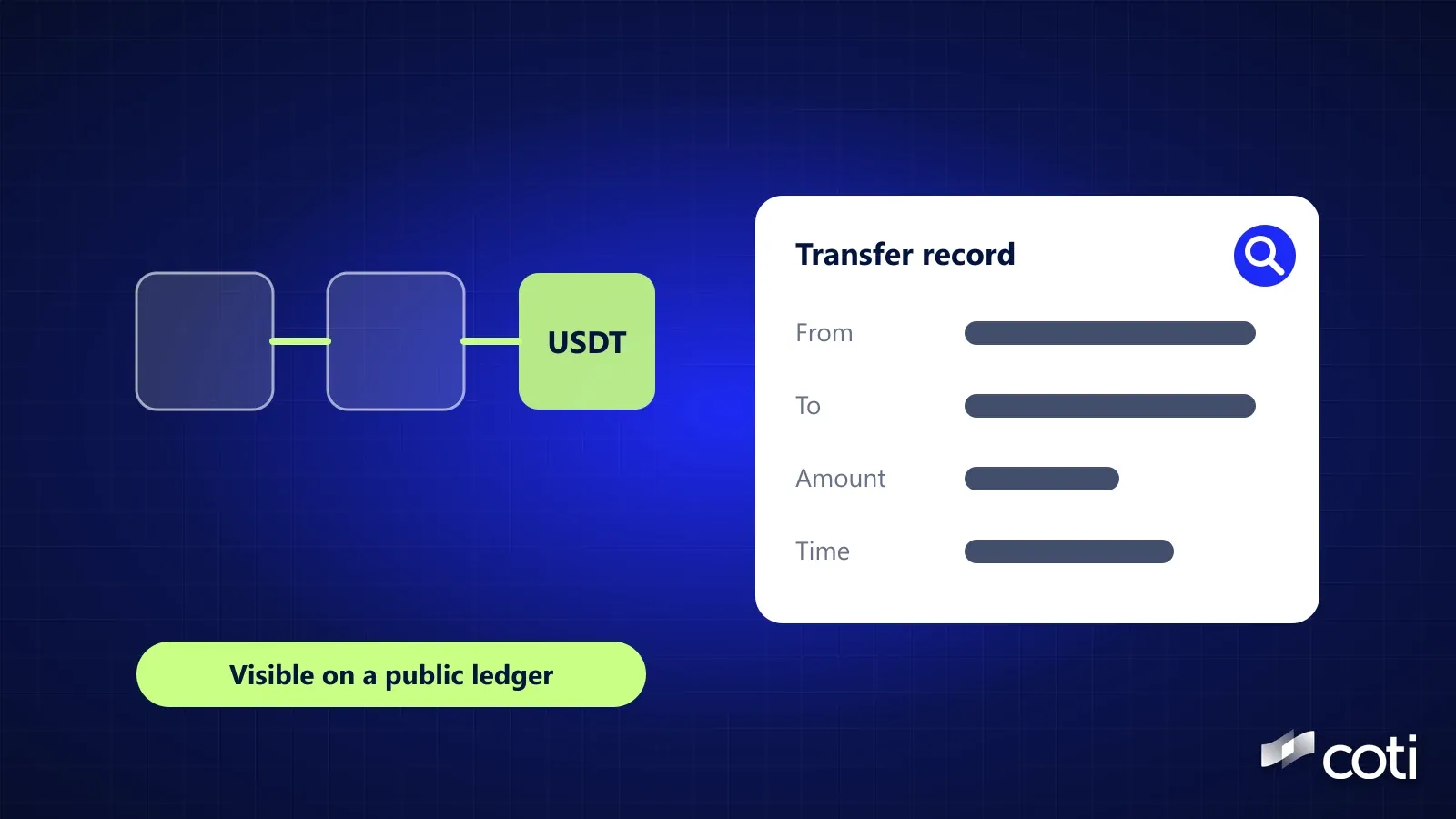
A block explorer is a website that lets anyone look up what's recorded on a public blockchain: any address's balance and history, any transaction's details, and any block's contents. On Ethereum, Etherscan is one example and ethereum.org lists several others. Bitcoin has its own explorers. You don't need an account or a wallet to use one. This guide explains what an explorer shows, how to read a transaction step by step, what pending and failed mean, and what changes with private tokens.
Current as of October 21, 2026.
The Short Answer
What a block explorer shows
- An address's balance, tokens and full transaction history
- Each transaction's status, sender, recipient, amount, fee and time
- Blocks and what's inside them
- Labels for many exchange, project and contract addresses
What it doesn't show
- Who owns a personal address, unless the owner has made it public or something else links it to them
- Amounts and balances of private tokens, which appear encrypted
What to remember
- Transaction hashes and addresses are public by design
- Your seed phrase and private key must never be shared
What a Block Explorer Shows
Ethereum's block explorers page (updated March 2, 2026) puts it simply: "Block explorers are your portal to Ethereum's data." It also explains why the data is there to read: "Ethereum is transparent by design so everything is verifiable."
Addresses. An address page shows the balance, the tokens the address holds and a list of every transaction it sent or received. Etherscan's guide to address pages adds tabs for internal transactions, which are transfers made by a smart contract, and for token transfers. Our guide to who can see your crypto wallet explains what this means for privacy.
Transactions. Each transaction has its own page with its status, block, time, sender, recipient, value and fee.
Blocks. Each block page shows when it was proposed, how many transactions it contains, and how much gas they used.
How to Read a Transaction, Step by Step
- Find it. Paste the transaction hash (a unique ID, which on Ethereum starts with 0x) into the explorer's search bar. Your wallet usually links straight to it.
- Check the status. Ethereum.org says the status shows whether the transaction is pending, failed or a success.
- Check the block and time. This tells you when it was included on the chain.
- Read From and To. From is the address that submitted the transaction. To is the recipient, or the smart contract the transaction interacts with.
- Read the value and tokens. Value is the ETH sent. Tokens transferred lists any tokens that moved as part of the transaction. For a stablecoin payment, To is usually the token's contract, and the real recipient appears under Tokens transferred.
- Check the fee. Ethereum.org calculates it as gas price times gas used. Part of it, the base fee, is burned, and the rest, the priority fee, is a tip to the validator, according to ethereum.org's gas page.
- Look at input data if needed. It carries extra information, such as which contract function was called.
Pending, Failed and Dropped
- Pending: the transaction has been sent but not yet included in a block.
- Failed: the transaction was included but didn't complete. Etherscan's explainer lists causes such as running out of gas, where the gas limit was set too low. The funds you meant to send stay in your wallet, but the gas fee is still deducted.
- Dropped or replaced: Etherscan notes that a transaction can be dropped, and a dropped transaction can be replaced. Its explainer says this depends on the nonce, the counter that numbers each address's transactions, so a replacement is another transaction from the same address with the same nonce.
Reading a Bitcoin Transaction
Bitcoin explorers look different because Bitcoin works differently. According to Bitcoin's developer guide, each transaction has at least one input and one output, and each output waits as an unspent transaction output (UTXO) until a later transaction spends it. Fees depend on the transaction's size in bytes. So a Bitcoin explorer shows the inputs being spent, the outputs created and the fee, rather than a single From and To.
Labels, Name Tags and Warnings
Explorers add their own context on top of the raw data:
- Name tags. Etherscan's policy says its curators weigh the owner's interest in showing an address and whether the address is of public interest. It shows name tags for individuals only when they have publicly declared ownership, and owners can request removal.
- Token warnings. Etherscan labels some tokens as spam, for example when a token's name contains links.
- Scams in your history. Fake entries can appear in an address's history to trick you into copying the wrong address. Our guide to address poisoning explains how they work.
What an Explorer Shows for Private Tokens
Private tokens change what an explorer can display. COTI's PrivateERC20 developer guide says that, unlike a standard ERC-20 token, where balances and transfer amounts are publicly visible on-chain, PrivateERC20 stores balances and allowances as ciphertexts that only the token holder can decrypt. Its Transfer event, documented in COTI's contracts library, still records the sender and recipient addresses in plain form, next to two encrypted copies of the amount, one for the sender and one for the recipient. So an explorer still shows who sent to whom, when, the fee and which contract was called, but not how much. COTI's mainnet, where COTI says its garbled-circuit engine has been in production since March 2025 (as of September 1, 2026), has its own explorer listed in COTI's network documentation.
Frequently Asked Questions
Can someone see my wallet on a block explorer?
Yes, if they know your address. They can see its balance and full history, but not your name unless something links the address to you.
Is it safe to share a transaction hash?
A transaction hash only points to a public record, so sharing it doesn't give anyone access to your funds. It does show the other party your address and its history, and if you share it under your name, they can link that address, and everything it has done, to you. Never share your seed phrase or private key with anyone.
Why does my transaction say pending?
It hasn't been included in a block yet. This can happen when the network is busy, when the fee you set was low, or when an earlier transaction from the same address is still waiting, since each address's transactions are processed in nonce order. While it's still pending, many wallets, including MetaMask, let you speed it up or cancel it by sending a replacement with the same nonce and a higher fee.
Where to Go From Here
A block explorer is the simplest way to see what a public blockchain reveals, so try looking up your own address once. To see how private tokens are stored and shown on COTI's network, start with COTI's Privacy Portal documentation.
Details checked October 21, 2026. Explorer features and labels can change. Nothing here is financial or legal advice. Etherscan and MetaMask are mentioned for reference only. COTI will never ask for your seed phrase or private key, and only COTI's official channels (coti.io, docs.coti.io, COTI's Medium blog and its official X and Telegram) carry announcements.
Sources
- Block explorers, ethereum.org, updated March 2, 2026, accessed October 21, 2026
- Explore an EOA address, Etherscan Information Center, published December 31, 2019, accessed October 21, 2026
- Gas and fees, ethereum.org, accessed October 21, 2026
- Reason for failed transaction, Etherscan Information Center, published December 5, 2019, accessed October 21, 2026
- Viewing transactions on Etherscan, Etherscan Information Center, published May 27, 2022, accessed October 21, 2026
- What happens when a dropped transaction is replaced by another transaction?, Etherscan Information Center, published July 1, 2020, accessed October 21, 2026
- Public name tags and labels, Etherscan Information Center, published February 7, 2021, accessed October 21, 2026
- Etherscan token reputation, Etherscan Information Center, published December 6, 2019, accessed October 21, 2026
- Transactions, Bitcoin Developer Guide, accessed October 21, 2026
- PrivateERC20 developer guide, COTI documentation, accessed October 21, 2026
- Private ERC20 (contracts library), COTI documentation, accessed October 21, 2026
- COTI Privacy Portal, COTI documentation, accessed October 21, 2026
- How to speed up or cancel a pending transaction, MetaMask Support, accessed October 21, 2026
- Mainnet, COTI documentation, accessed October 21, 2026
- Privacy-on-Demand: How Privacy Works Across Chains, COTI, published September 1, 2026, accessed October 21, 2026